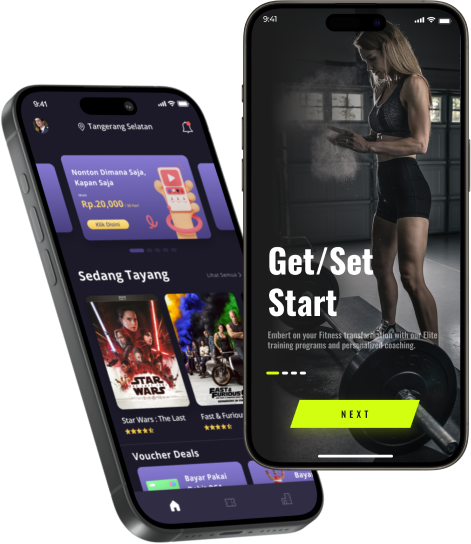



Building Your Android Empire, If you have a groundbreaking idea for an Android application but are constrained by a tight budget, don’t worry. There is an abundance of free and open-source tools available that can transform your app concept into a reality without draining your finances. In this comprehensive guide, we’ll explore the essential free tools and software that will empower you to start building your Android empire from the ground up, all without spending a dime.
Building Your Android Empire: Editor – Android Studio
The first tool any Android developer needs is an IDE (Integrated Development Environment) to write code. Fortunately, Google offers a fully-featured IDE called Android Studio, which is completely free of charge. Android Studio includes features like code completion, debuggers, emulators, version control integration, and more to help you efficiently build Android apps. It’s the recommended editor for any Android Mobile Application Development project.
Key Features
Built Specifically for Android: Android Studio is built from the ground up for Android Mobile Application development. It understands the Android project structure and integrates tightly with the SDK and build tools. This makes many tasks easier compared to using a generic IDE.
- IntelliSense and Autocompletion: Android Studio has very powerful code completion capabilities thanks to its knowledge of the Android APIs and frameworks. It can autocomplete classes, methods, parameters, and more to save typing and reduce errors.
- Built-in Tools and Emulators: It includes emulators to test on virtual Android devices without needing real hardware. You also get tools like logcat, adb, layout preview, resource managers, and more right inside the IDE.
- Streamlined Build Process: Gradle builds are configured and run seamlessly from within Android Studio. It handles syncing with dependencies, running the compiler, and packaging code without manual steps.
- Linting and Code Analysis: The IDE actively checks code for problems, warns about bugs, suggests improvements, and enforces code quality standards to surface issues early.
- Debugging Tools: Android Studio has robust debugging tools like breakpoints, step-through, variable inspection, etc., to debug code on emulators and connected devices.
- Template Features: It provides templates to quickly set up common code structures like activities, fragments, layouts, etc., saving significant initial effort.
- Version Control Integration: Tight integration with Git and Mercurial for easy source control, along with features for committing, pulling, and pushing changes.
- Wide Ecosystem: As the official IDE, it has the largest ecosystem of plugins, templates, guides, and community support resources available for free. Regular updates add more features.
Android Studio is the most capable editor for Android, with the richest feature set that is tuned specifically for the platform. It enhances developer productivity and eliminates many manual steps compared to other editors.
Building Your Android Empire: Version Control – Git
For any serious software project, you’ll want to implement some form of version control to track changes to code over time. Git is a free and open-source distributed version control system that works seamlessly with Android Studio. Using Git (or a hosted option like GitHub), you can back up code, easily revert mistakes, collaborate with teammates, and more – all at no cost for personal use. Integrating version control is essential whether hiring an Android mobile app development Developer or working solo.
Key Features
- The distributed version control system allows for the storage of code changes and collaboration over the network.
- A local copy of the full codebase history resides on each developer’s machine.
- Changes can be committed with messages and pulled/pushed between machines.
- Branches enable parallel experimental development without disrupting the main code.
- It is lightweight and works seamlessly with Android Studio.
Building Your Android Empire: Emulator – Android Emulator
Building Your Android Empire, To test how your app will look and function on different Android devices, you’ll need an emulator. Android Studio includes the Android Emulator, which simulates many device configurations at no additional cost. You can create and manage multiple emulated Android devices on your development machine to ensure your app is compatible across various screen sizes and Android versions. This is crucial for developing an app for Android that works seamlessly on many devices.
Key Features
- Simulates various Android device hardware and software configurations
- Enables testing apps on multiple screen sizes and Android OS versions
- It offers features like rotation, location access, telephony services, etc.
- Emulators can be configured with custom hardware profiles and system images.
- Speeds up development by eliminating the need for physical test devices.
Building Your Android Empire: Designer – Figma
When first conceptualizing an Android app, it’s helpful to create mockups and wireframes of what the UI will look like. Figma is a free cross-platform tool ideal for designing mockups and prototypes before writing any code. It allows you to lay out screens, add widgets, and share designs with others. Figma integrates well with developers by allowing easy export of design files directly into code. Consider using Figma whether hiring a Dedicated Android App Developer or working alone on UI/UX.
Key Features
- Wireframing and prototyping tool for designing user interfaces
- Drag-and-drop interface to lay out screens – add interactivity without code
- Components like buttons, slides, galleries, and beyond for visual mockups
- Supports layers, comments, variations, and design collaboration
- Helps define UI/UX before app development begins
Building Your Android Empire: Prototyper – InVision Studio
Building Your Android Empire, Taking designs a step further, InVision Studio lets you turn static mockups into interactive clickable prototypes without any coding. This allows product managers and stakeholders to get a feel for app flows and functionality early before the heavy lifting of development begins. You can share prototypes via a browser URL to get feedback. InVision also has project management features to streamline collaborative development. It’s a must-have free tool for prototyping Android app ideas.
Key Features
- Turns static designs into interactive prototypes
- Link screens and add transition interactions without coding
- Share working prototypes via URL for feedback and sign-off
- Tracks changes and manages feedback/comments on the prototype
- Helps validate designs before spending time on development
Building Your Android Empire: Code Quality – Android Lint
Android Lint is a free static code analysis tool bundled with Android Studio that catches errors, performs checks, and flags code quality issues. It can identify things like incorrect app permissions, unused resources, duplicated logic, and more. Addressing issues found by Lint makes apps smoother and saves debugging time further down the road. Leverage Lint whether Hiring Dedicated Android App Developers or going solo.
Key Features
- Static code analysis tool to catch bugs and quality issues early
- Checks for crashes, vulnerabilities, incorrect usage, and more
- Automatically analyzes code and flags issues on a regular basis
- Helps enforce code standards and best practices
- Saves debugging efforts by fixing issues early
Building Your Android Empire: Testing – Espresso
No app is complete without proper testing to ensure stability and catch regressions early. For UI testing Android apps, Google’s Espresso framework is completely free and simple to integrate. Espresso allows app flows to be tested directly on emulators/devices by simulating user interactions like clicks, swipes, and keyboard inputs. You can programmatically assert app behavior, catch crashes, monitor performance, and more – all without needing additional third-party libraries. Plan testing from the start, whether developing an app for Android yourself or hiring developers.
Key Features
- UI testing framework for Android
- Programmatically simulate user interactions like clicks, typing, etc.
- Automatically test app workflows and expected behavior
- Runs test on emulators/devices without 3rd party dependencies
- Catches regressions during refactoring and helps maintain quality
Building Your Android Empire: Statistics for Android Development in 2024.
- The global Android app market is projected to generate $170 billion in revenue in 2024.
- There will be over 8 billion Android devices in use globally by 2024.
- Over 3 million Android apps will be available on Google Play Store in 2024.
- The number of developers building Android apps for a living will surpass 5 million developers worldwide by 2024.
- Android will account for over 70% of the global mobile OS market share by 2024.
- The average Android mobile application development cost will increase to $186,000 per app in 2024.
The Bottom Line
The future of Android Mobile Application Development is very promising. By utilizing the many free and open-source tools available, you can gain experience with Android without large investments and potentially build the next billion-dollar Android success.
Building Your Android Empire, Whether you need assistance getting started utilizing these free resources for developing an Android app or recommendations on Hiring an Android App Developer, we are here to help. For businesses with an app idea, our WallStreetMobileApps developers can also help turn your vision into a reality –click below to learn more about our holistic mobile app development services. Building an Android app doesn’t have to be a costly endeavor. With a plethora of free and open-source tools like Android Studio, Git, the Android Emulator, Figma, and more, you can bring your app ideas to life efficiently and affordably. The Android ecosystem is vast and growing, offering immense opportunities for developers.
Building Your Android Empire, By leveraging these powerful tools, you can streamline your development process, ensure high-quality output, and stay competitive in the booming Android market. Whether you’re an individual developer or a business with an app concept, embracing these resources will help you build your Android empire without breaking the bank. For further assistance or to turn your vision into reality, our WallStreetMobileApps team is here to support your journey to success.
FAQs – Some Key Insights for Android Mobile Development Tools
- What is the best free IDE for Android mobile application development? The best free IDE for Android mobile application development is Android Studio. It offers a comprehensive suite of tools, including code completion, debuggers, emulators, and version control integration, making it the ideal choice for developers at any level.
- Why is version control important in Android app development? Version control, like Git, is crucial for tracking changes in code over time, collaborating with team members, and easily reverting mistakes. It integrates seamlessly with Android Studio, ensuring smooth workflow and code management.
- How can I test my Android app without physical devices? You can use the Android Emulator included with Android Studio. It allows you to simulate various device configurations, screen sizes, and Android versions, ensuring your app works seamlessly across different devices without needing physical hardware.
- What tools can help in designing the UI/UX of my Android app? For UI/UX design, you can use Figma to create mockups and wireframes and InVision Studio to turn these designs into interactive prototypes. Both tools are free and facilitate collaboration and feedback during the design phase.
How can I ensure the quality and stability of my Android app? To ensure quality and stability, you can use Android Lint for static code analysis to catch errors and code quality issues and Espresso for UI testing to simulate user interactions and test app workflows automatically. Check references
 Wall street mobile app. All rights reserved | Cookie Settings, Anti-Spam, Privacy, User agreement, Legal Notice and Responsible Disclosure