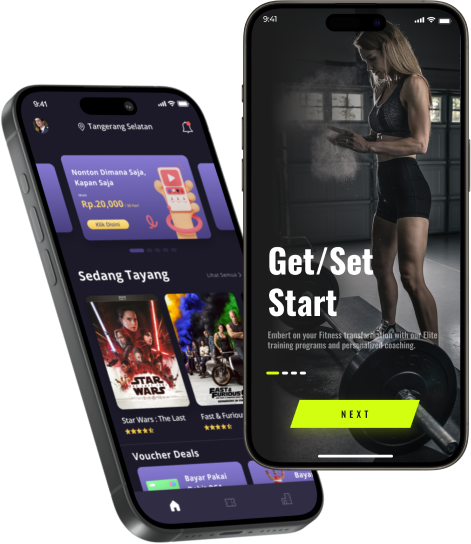



In the age of smartphones and instant streaming, creating a music app has become a lucrative opportunity for businesses and entrepreneurs alike. The music industry has embraced technology, with millions of users relying on mobile apps for streaming, discovering new music, and managing their music libraries. If you’ve ever wondered how to make your own music app, this guide will walk you through the steps from concept to launch, ensuring your app stands out in this competitive market.
Wallstreet Mobile Apps, a pioneer in mobile app development, has transformed the digital landscape by empowering businesses to create user-friendly, high-performance apps. Let’s dive into how you can develop your own music app, leveraging cutting-edge technology and best practices to deliver a seamless experience to your users.
Why Build a Music App?
Before we delve into the development process, it’s important to understand why building a music app is a smart move. The demand for music streaming apps has skyrocketed, with platforms like Spotify, Apple Music, and SoundCloud leading the market. As of 2023, music streaming services had over 500 million users worldwide, and the market continues to grow.
Here are a few key reasons why creating a music app can be a profitable venture:
- High user engagement: Music apps tend to have high retention rates, as users spend significant time browsing, creating playlists, and listening to their favorite tunes.
- Monetization opportunities: Whether through premium subscriptions, in-app purchases, or ads, there are multiple ways to generate revenue from a music app.
- Personalization potential: Music preferences are highly individual, and users appreciate apps that offer personalized recommendations based on their listening habits.
With that in mind, let’s move forward and explore how to create your music app from scratch.
Step 1: Define Your Concept
The first step in building a music app is to define your app’s concept. Ask yourself the following questions:
- What type of music app do I want to build?
- Will it be a streaming app like Spotify or a music library management tool like Apple Music?
- Will it focus on discovering new music, or cater to a niche audience such as independent artists?
- What features will set my app apart from competitors?
- Consider offering unique features like curated playlists, social sharing, offline mode, or integration with music hardware (like smart speakers).
- What is the target audience?
- Identifying your target audience is crucial. For example, you could target music enthusiasts, indie music lovers, or podcast listeners.
Defining your concept is critical to laying a strong foundation for the app’s development. A well-thought-out concept will guide the design, features, and marketing strategies for your app.
Step 2: Research Competitors and Market Trends
Once you’ve defined your concept, it’s time to conduct thorough market research. Analyze your competition to see what they’re doing right and where there might be opportunities for improvement. Understanding the market will help you avoid costly mistakes and position your app for success.
Some of the most successful music apps to research include:
- Spotify – A leading music streaming platform with personalized playlists, social features, and a premium subscription model.
- Apple Music – A robust music app integrated with iTunes, offering an extensive library and exclusive releases.
- SoundCloud – A platform for discovering and promoting independent artists.
Look at their user interfaces, key features, and monetization strategies. Identify trends in the industry, such as the growing demand for high-quality audio, offline listening options, or integration with virtual assistants like Alexa or Google Assistant.
Additionally, study user reviews to find out what people love about these apps and what they don’t. This research will help you make informed decisions during the development process.
Step 3: Plan Your Features
The success of your music app will largely depend on the features it offers. A great music app isn’t just about streaming songs—it’s about offering an engaging and intuitive experience that keeps users coming back. Here are some of the must-have features for a music app:
1. Music Library or Streaming
The core functionality of any music app is its ability to offer a vast library of songs or allow users to upload their own music. Whether you’re streaming music from the cloud or offering downloadable files, your app needs to provide a reliable way for users to access their favorite songs.
2. User Profiles
Let users create and manage profiles where they can save playlists, favorite songs, and follow other users or artists. Social features like sharing playlists with friends or commenting on songs can greatly enhance the app’s appeal.
3. Search and Discover
A powerful search function is crucial. Users should be able to search for artists, albums, and songs with ease. Adding a music discovery feature with personalized recommendations based on user behavior can differentiate your app from others.
4. Offline Mode
Allowing users to download music for offline listening is a highly desirable feature, especially for users who travel or want to save on mobile data. Ensure that the offline mode is easy to toggle and manage within the app.
5. High-Quality Audio
Offering high-quality audio is another feature that can set your app apart. Audiophiles are willing to pay for superior sound quality, so providing high-bitrate streams or lossless audio options can appeal to this niche market.
6. Push Notifications
Push notifications can increase user engagement by notifying users about new releases, recommended tracks, or personalized playlists. However, be mindful not to overuse notifications, as this can lead to app fatigue.
7. Monetization Options
Consider how you want to monetize your music app. Common strategies include:
- Subscription Model: Offer premium subscriptions for ad-free listening, offline mode, and higher-quality audio.
- In-App Purchases: Users can purchase individual songs, albums, or other content.
- Advertising: Display ads for free users, but ensure it doesn’t interrupt the user experience.
Step 4: Choose the Right Technology Stack
Choosing the right technology stack for your music app is crucial to ensuring it runs smoothly and provides a seamless user experience. You will need both a front-end and back-end solution that can handle audio streaming, user management, and data storage.
Front-End Development
- iOS (Swift) and Android (Kotlin/Java): Building native apps for both platforms ensures the best performance and allows you to take full advantage of the device’s hardware capabilities, like audio processing and playback.
- Cross-Platform (Flutter, React Native): If you’re on a budget, you can build your app using cross-platform tools, which allow you to write the code once and deploy it to both iOS and Android. However, this can sometimes come at the cost of performance.
Back-End Development
- Node.js or Python: For building a robust back-end that can handle streaming services, user authentication, and database management.
- Amazon Web Services (AWS), Google Cloud, or Azure: Cloud services are essential for storing user data, music files, and managing server infrastructure. These platforms also provide scalable solutions to ensure your app can handle increased traffic as it grows.
Music API Integration
For a music streaming app, you’ll need to partner with music streaming services or integrate third-party APIs that allow you to access a vast library of music legally. Popular APIs include:
- Spotify API
- Apple Music API
- SoundCloud API
Ensure that your app complies with all licensing requirements when offering music from third-party services.
Step 5: Design the User Interface (UI)
The design of your music app plays a significant role in attracting and retaining users. Focus on creating a clean, intuitive, and visually appealing user interface that enhances the user experience.
Key UI/UX Design Tips:
- Simplicity: Users should be able to navigate your app effortlessly. A clutter-free design with clear menus and easy-to-access features will encourage users to stick around.
- Visual Aesthetics: Make use of modern design principles like flat design, consistent color schemes, and engaging animations to create an app that is both functional and aesthetically pleasing.
- Responsive Design: Ensure your app is optimized for all screen sizes and device types. Whether users are on a smartphone, tablet, or desktop, the app should perform flawlessly.
Step 6: Development and Testing
Once you’ve finalized your features and UI design, it’s time to start the development process. This is where you’ll bring your concept to life by coding the app and integrating all necessary features.
Agile Development
Consider using the agile development methodology, which allows you to break down the development process into smaller, manageable tasks or “sprints.” This approach ensures that you can launch your app in stages, making improvements based on user feedback.
Testing
Thorough testing is crucial to ensure your app functions smoothly across different devices and operating systems. Key testing stages include:
- Unit Testing: Ensures each function works as intended.
- Integration Testing: Tests the interactions between different modules of your app.
- Beta Testing: Involve a small group of users to identify bugs and gather feedback before the official launch.
Step 7: Launch and Market Your App
After testing, your app is finally ready for launch. But launching an app successfully involves more than just publishing it in the App Store or Google Play. You need a solid marketing plan to attract users and generate buzz.
App Store Optimization (ASO)
Optimize your app’s listing by including high-ranking keywords in the app title and description. Use engaging visuals and screenshots to showcase your app’s features.
Digital Marketing Strategies
Consider the following strategies to promote your app:
- Social Media Campaigns: Leverage platforms like Instagram, Facebook, and Twitter to reach your target audience.
- Influencer Marketing: Collaborate with influencers in the music industry to promote your app.
- Paid Advertising: Use Google Ads, Facebook Ads, or in-app advertising to reach potential users.
Gather Feedback and Improve
Once your app is live, actively collect user feedback and use it to improve your app. Regular updates and feature enhancements will keep users engaged and ensure your app remains relevant.
Conclusion
Building a music app is a complex but rewarding process that involves careful planning, research, and execution. By following this step-by-step guide, you’ll be well on your way to developing a music app that can stand out in a crowded market.
Remember, Wallstreet Mobile Apps is a leader in mobile app development, helping businesses and entrepreneurs turn their ideas into reality. By partnering with a reliable app development company and staying focused on user experience, you can create a music app that not only meets user expectations but exceeds them.
Happy app building!
 Wall street mobile app. All rights reserved | Cookie Settings, Anti-Spam, Privacy, User agreement, Legal Notice and Responsible Disclosure